Portable toilet rental management
Always know where your portable toilets are
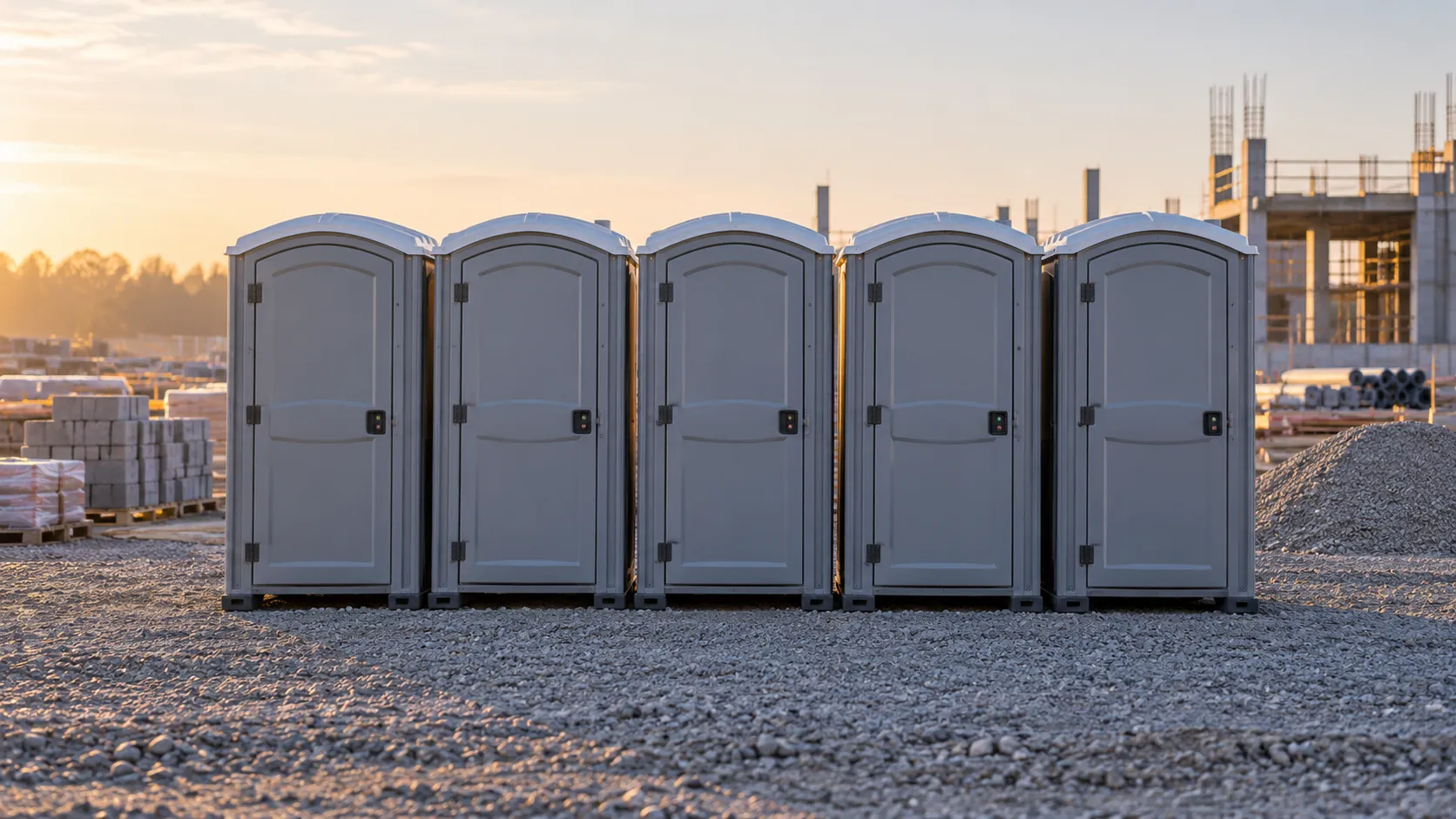
Every unit has its job, its job site or event and its servicing schedule. The operator scans the QR code and opens today's task. Anyone using the toilet can report a problem without signing up.
From the unit to the job site
From order to invoice, with the cleaning in between
A unit stays tied to its order from installation to collection, and each step picks up the data of the one before.
Cabì
A toilet always stays tied to its order: from delivery to collection you know where it is and when it is due for servicing.
- Step 1
Create the order
Customer, job site or event, assigned units, rental period and how often they get serviced. From that cadence Toitrack works out the expected tasks and adds them to the work plan.
Conditions: You need the permission to edit orders.
- Step 2
Prepare the route
The day's stops go to one operator, overdue ones included. Before saving you see a preview of the new order and the route's kilometres.
Conditions: A route starts at one depot and ends at one depot. The optimizer reorders stops by the distance between coordinates and ignores traffic. If a job site is inside a ZTL and the vehicle is not cleared for it, a warning appears before you save.
- Step 3
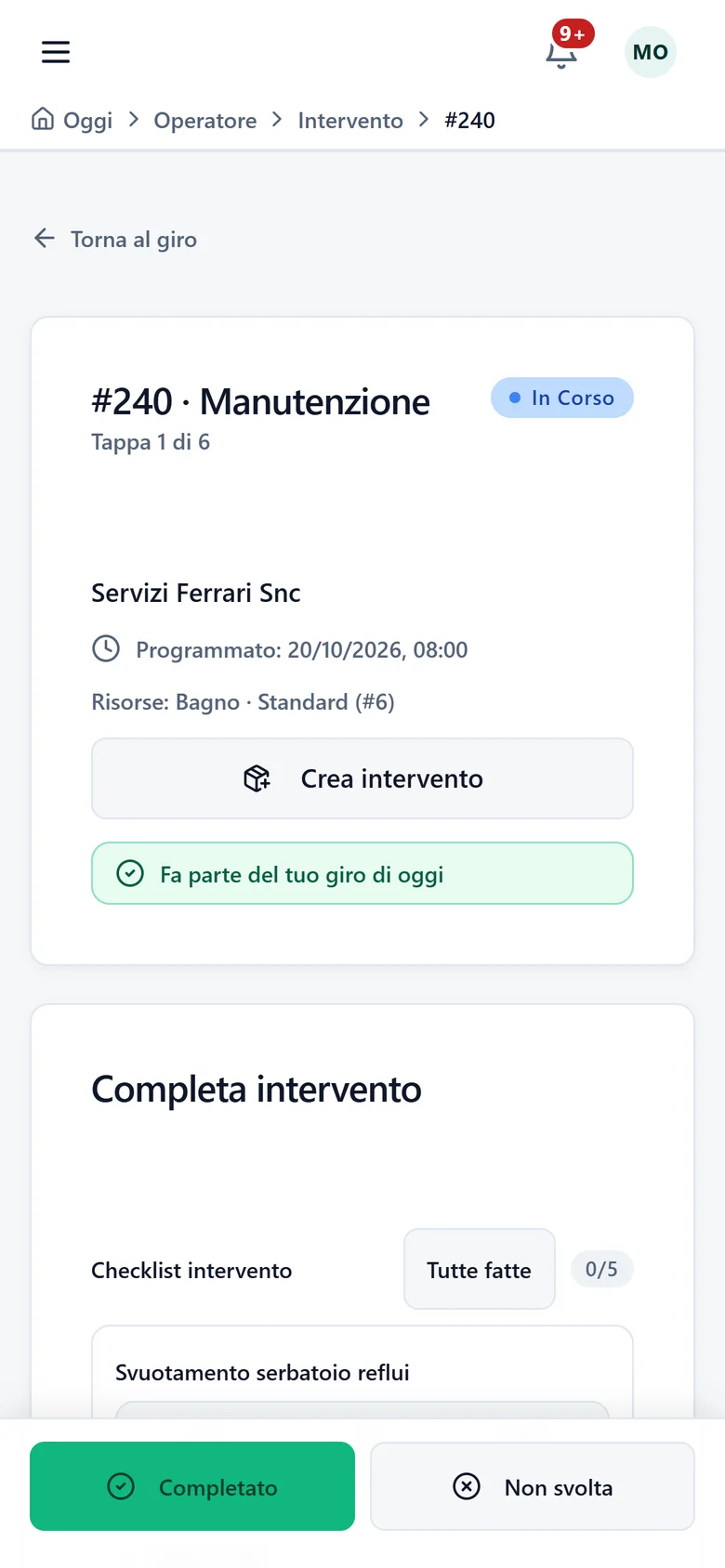
The operator cleans and ticks off
They scan the unit's QR code and today's task opens. The starting checklist has five items: emptying the waste tank, washing and disinfecting, clean water and sanitiser, paper and supplies, a check of the structure and the lock. Each item gets an outcome, a note and photos.
Conditions: Where your company requires it, photos and outcome are mandatory. You edit the items from the Checklist menu.
- Step 4
Invoice from the order
The e-invoice comes straight from the order, with deposits and due dates in the same invoice list. The service report goes into the order's documents.
Conditions: You need the permission to write invoices and invoicing included in your plan and switched on for your company. Sending the invoice to SdI also needs the permission to issue invoices.
Built for portable toilets
What it takes to run a fleet of units
Three types of unit, each with its litres
Standard, Deluxe or Accessible, with the capacity in litres. Create several units at once by entering a quantity, within your plan's limits, or load them from an Excel sheet.
A QR code on every toilet
The operator scans it and opens today's task for that unit. Anyone who scans it without an account sees whether the unit is in service and can report a problem: the report goes to the manager.
Sinks and windbreaks as separate modules
Each add-on module has its own serial number and status, and is assigned to one specific unit. You know which modules are out in the field and which are in stock.
The toilet record
What you log for every unit
- Type
- Standard, Deluxe or Accessible.
- Capacity
- In litres. It is required when you create the Asset.
- Serial number
- Optional. If you enter one, no other Asset in your account can use it.
- Status
- Available, In use, Under maintenance, Inactive, Broken or Retired.
- Placement
- The address where the unit is installed, with its position on the map.
- Add-on modules
- Sinks, windbreaks and other accessories, each with a serial number and a status: in stock, assigned, maintenance, broken or inactive.
- QR label
- Printed from the record or all at once with "Print all QR". If you generate a new one, the old one stops working.
What stops happening
Where portable toilet rental gets stuck
Units forgotten on job sites
A toilet on a closed job site costs money and earns none. Every unit is tied to an order, a customer and a placement address: you know where you put it and when to collect it.
The problem nobody tells you about
The unit is dirty and nobody calls. With the QR code anyone can report from their phone; the report shows up in your list and you can convert it into a task in the work plan.
Missed or late servicing
Expected tasks have a status and an operator: you see what is done and what is behind. Overdue tasks end up on the route.
An example
Six units on a job site, serviced every week
You create the job with six units and a weekly cadence. Toitrack prepares the expected tasks and puts them in the work plan. On route day the operator scans each unit's QR code, ticks the checklist and takes the photos your company made mandatory. If a worker on the job site finds a unit that needs attention, they scan the same QR code on their phone. The report reaches you. No phone call.
Learn more
The features behind this page
Do you also pump septic tanks?
On-call pumping in the same system
Want to see your toilets inside Toitrack?
Try it free for 14 days on your own job sites, no commitment. We agree the price on request, based on what you do.
We set up your trial account for you
For support or a tailored proposal write to us:info@toitrack.comWhatsApp +39 378 443 5327