Software for septic pumping companies
From the call to the task, the report and the invoice
Log the phone call in a few fields, the operator completes the task from the app and the order is invoiced. The waste register and the Albo and RENTRI deadline calendar sit in the same system.

The flow
From phone call to invoice in four steps
Each step picks up the data of the previous one: nothing to retype.
Furgo
Quantity and EER code are entered once, in the field: they then follow the task into the report and the load.
- Step 1
Phone call: you create the task
“New intervention” asks for four fields: customer, type, address and date. The address is prefilled from the customer's latest order, the date can be a past day to record work already done, and you pick the operator now or later from the planner. The result is an order with no assets, with its task.
Conditions: Available with the Service or Both profile and with permission to edit orders; choosing the operator also needs the assignment permission.
- Step 2
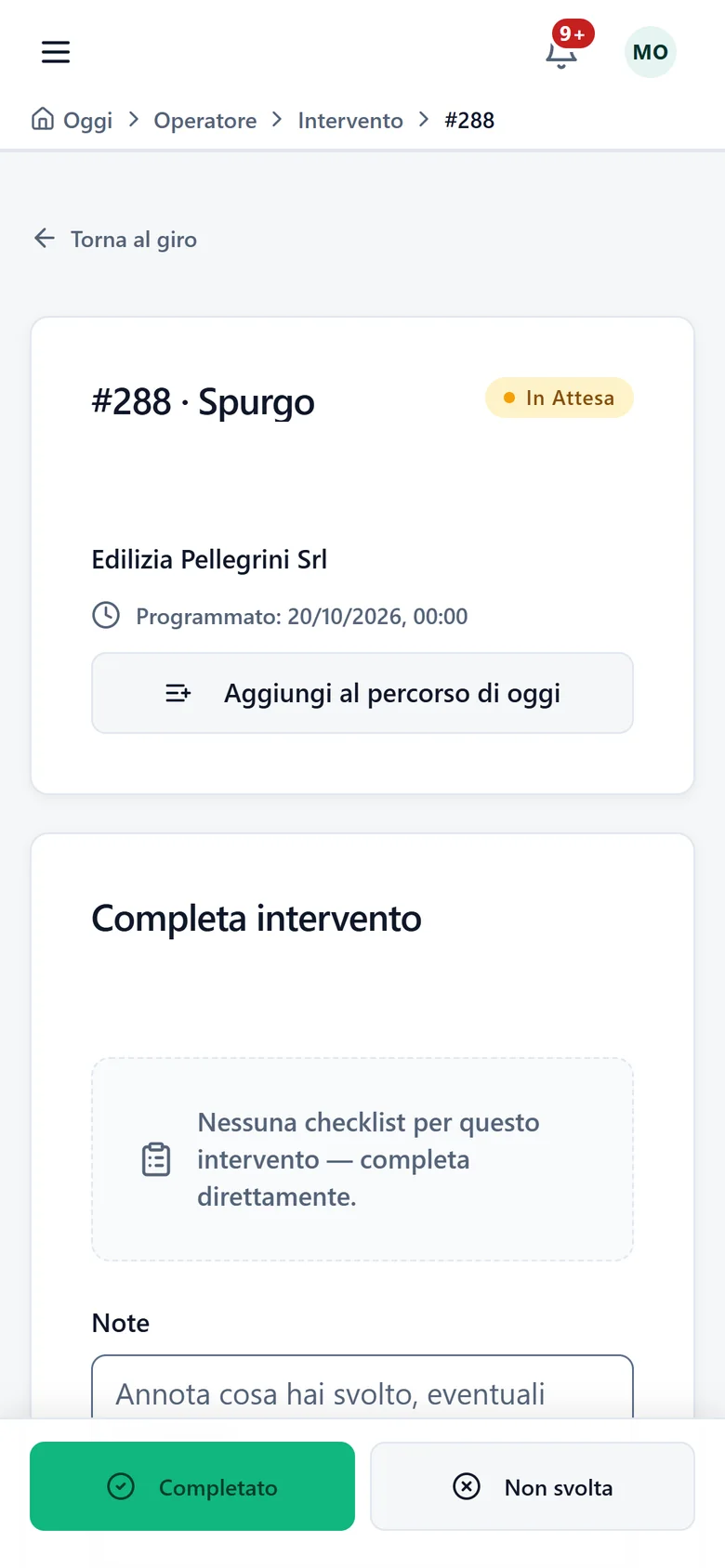
On site: the operator fills it in from the app
The operator opens the task on the phone, records the quantity taken (m³, liters, kg or metric tons) and, if needed, the EER code, then completes it. Without a signal the data stays on the phone and is sent on its own when the connection returns.
Conditions: The EER code is chosen among the active codes in your registry, for people allowed to read them.
- Step 3
At the end of the task: the report
The PDF report carries an “Intervention data” section with type, quantity, EER code and, when different from the customer, the producer. You choose what happens when the task closes: no generation, generation only, or generation and an email to the customer's contact.
Conditions: Generating or downloading the report by hand from the task needs the dedicated permission.
- Step 4
Invoice from the order
From the order's Economics tab you use “Generate invoice”. An on-call task is always invoiceable: the price comes from the price list, you type it by hand, or the line stays “to be priced” and blocks the invoice until you set it.
Conditions: You need permission to write invoices and invoicing included in your plan and switched on for your company. Sending the invoice to the SdI also needs the permission to issue invoices.
Built for on-call work
Software that does not ask for rental assets
No asset to assign
A pumping task needs no rental toilet or vehicle: the order is created without assets and carries only customer, address, date and task.
Eight task types
Pumping, drain unblocking, video inspection, washing, tank cleaning, transport, collection and other. In the tasks list each type has its own colored label and you can filter by type.
A profile for your business
At sign-up and in Settings you choose Service, Rental or Both: menu, dashboard, quick actions and guided tours adapt. No data is touched.
Waste
From service to register, with deadlines under control
These features are part of the Waste module, which owners switch on in Settings > Modules when it is included in the plan.
The load starts from the round
Pumping tasks on a round with a recorded quantity can enter a load. You close it when the round is done and discharge it to a depot or a plant; the office can also prepare it for a round completed by an operator.
Loading and unloading register
Entries numbered per local unit and year: a correction or a cancellation is a new entry and the original stays in the register. The register appears when the RENTRI connection is active.
EER codes from the official catalog
You activate the codes you handle from the official RENTRI catalog: they are never typed by hand. Then you pick them right in the task.
Albo and RENTRI deadline calendar
Albo annual fee, RENTRI contribution, MUD, Albo renewal application and technical manager suitability in a single calendar, with reminders 60, 30 and 7 days before and on the day. You mark what you have done: Toitrack checks nothing with the Albo or RENTRI. You find it in Settings > Waste, for people who manage the subscription, after saving the operator profile.
Toitrack helps you organize the data and remember the deadlines: legal obligations remain with your company. For your specific case, consult your environmental advisor.
Frequently asked questions
Septic pumping with Toitrack
What Toitrack does and what stays with you, in short.
Take your next phone call all the way to the invoice
Try it free for 14 days on your real tasks, from the first call to the invoice.
We set up your trial account for you
For support or a tailored proposal write to us:info@toitrack.comWhatsApp +39 378 443 5327