Tank rental management
Manage your tank rental business
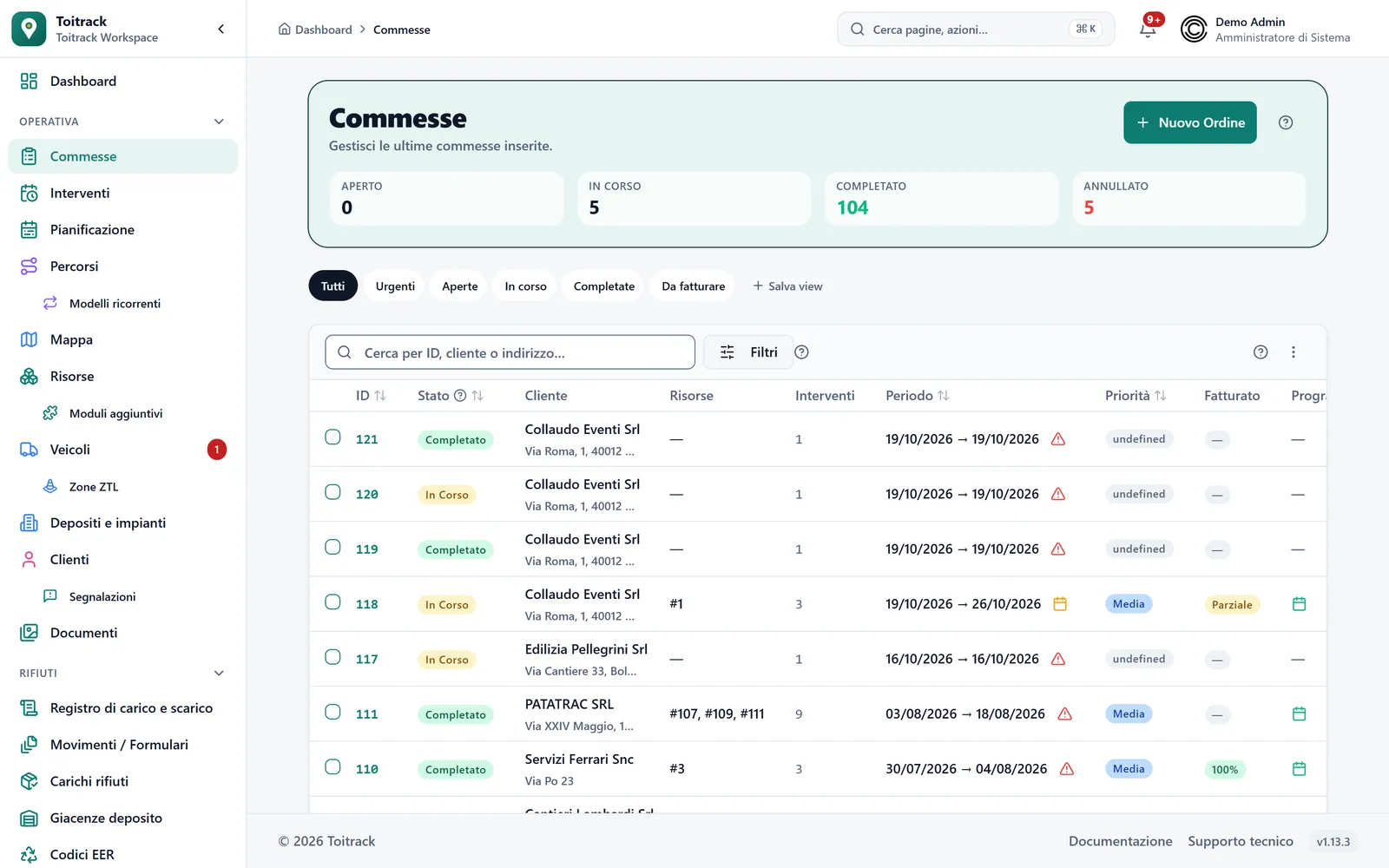
Every tank has its volume, its ADR certification and its status. Delivery, collection and swap are tasks with an operator. Unloading at the plant is a separate stop, with its own weighing.
The life of a tank
From delivery to unloading at the plant
Delivery, emptying, swap and unloading are separate stops of the same order.
Furgo
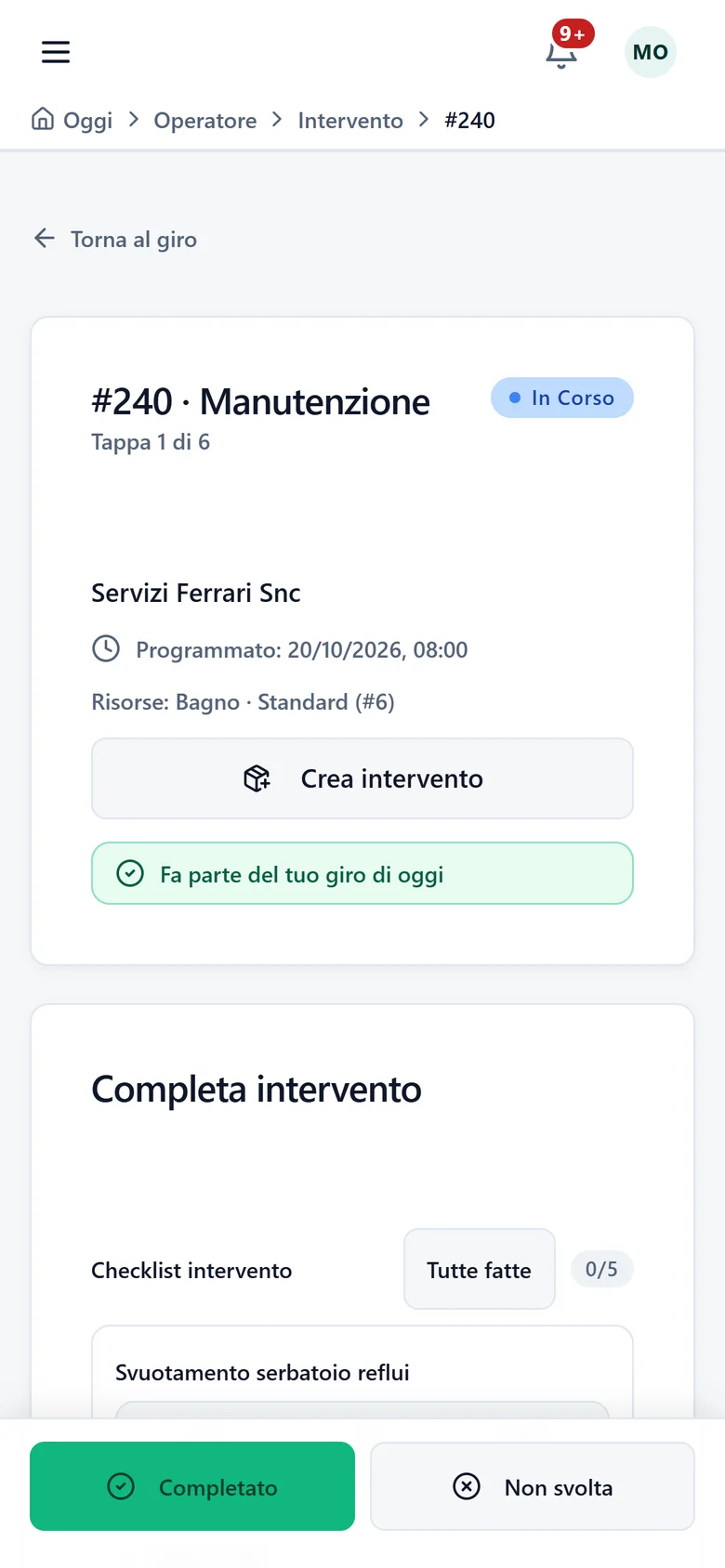
When a tank is full the swap is logged on the spot, even from the field. It then joins the route and, if you set a return rule, brings the unloading stops along.
- Step 1
Create the order
A job gathers customer, job site, tanks and period. Inside it sit the delivery and the collection, two tasks with their own status and operator.
Conditions: The volume in m³ is required when you create the tank.
- Step 2
Pick the vehicle with the pump
Deliveries, collections and swaps go onto an operator's route. If the vehicle does not declare "Tank pump", Toitrack warns you before you save, and you can still save.
Conditions: The warning only fires if you listed the vehicle's equipment on its record. For tanks, the simultaneous swap limit stays a warning and never blocks the route.
- Step 3
The operator empties and logs
From the phone they follow the emptying checklist: content level, suction, valve and gasket seals, volumes disposed of, ADR labelling. If the tank is full, they log the swap by choosing the tank taken away and the one that replaces it.
Conditions: The replacement tank is chosen among the available ones of the same category. Photos and outcome are mandatory where your company requires them.
- Step 4
Unload and invoice
At unloading the operator enters gross and tare, and Toitrack works out the net. The e-invoice comes from the order, with deposits and due dates.
Conditions: The unloading stop needs a depot classified as a plant. For the invoice you need the write permission and invoicing switched on for your company; sending the invoice to SdI also needs the permission to issue invoices.
Built for tanks
What it takes to run liquid tanks
Volume and ADR on the record
The volume in m³ and the ADR certification sit with the rest of the tank's data. The status tells you at a glance which tanks are available and which are in use.
An emptying checklist ready to use
The starting one checks level, suction, valves and gaskets, volumes disposed of and ADR label. You change it from the Checklist menu and make photos and outcome mandatory item by item.
Swaps with a reason, and return stops
A swap does not follow a calendar: you log it when needed. With a standard swap the tank taken away becomes available again; with disposal it is retired. Return rules, set per category and reason, add the stops to a depot or plant to the route.
The tank record
What you log for every tank
- Volume
- In m³, required at creation.
- ADR
- Certification valid or not required.
- Status
- Available, in use, under maintenance, inactive, broken or retired. A retired tank leaves availability and your plan limits, but stays in the history.
- Depot
- Every tank belongs to a depot, which you choose when you create it.
- Serial number
- The number printed on the tank. It is optional, but two Assets cannot share it.
- Suitable vehicle
- "Tank pump" is the equipment a vehicle must declare to carry it.
What stops happening
Where tank rental gets stuck
Tanks lost on job sites
A tank forgotten on a closed job site is a lost unit. Each one has an order, a customer and a home depot.
The vehicle without a pump
A vehicle with no pump is no use in front of a tank to empty, and the route has to be redone. With the equipment declared on its record, the warning comes before departure.
Unloads with no trail
When a tank is emptied at a plant, the unloading stop carries the weighing, the EER code and a photo of the receipt. Nothing stays on a sheet forgotten in the vehicle.
An example
A full tank to swap
Halfway through the rental, the tank on a job site is full. The operator opens the task on the phone and logs the swap. They choose the tank taken away and the replacement, among the available ones of the same category, and give the reason. If your account has a return rule for tanks with that reason, Toitrack adds to the route the stops to the nearest active depot or plant.
Learn more
The features behind this page
Want to see your tanks inside Toitrack?
Try Toitrack on your tanks for 14 days, free and with no commitment. We set the price on request, based on your work.
We set up your trial account for you
For support or a tailored proposal write to us:info@toitrack.comWhatsApp +39 378 443 5327