Skip rental management
Keep control of all your skips
Every skip has its volume, its payload and its order. Drop-off, collection and swap are tasks with an operator and a hook vehicle. At the plant the operator logs the weighing.
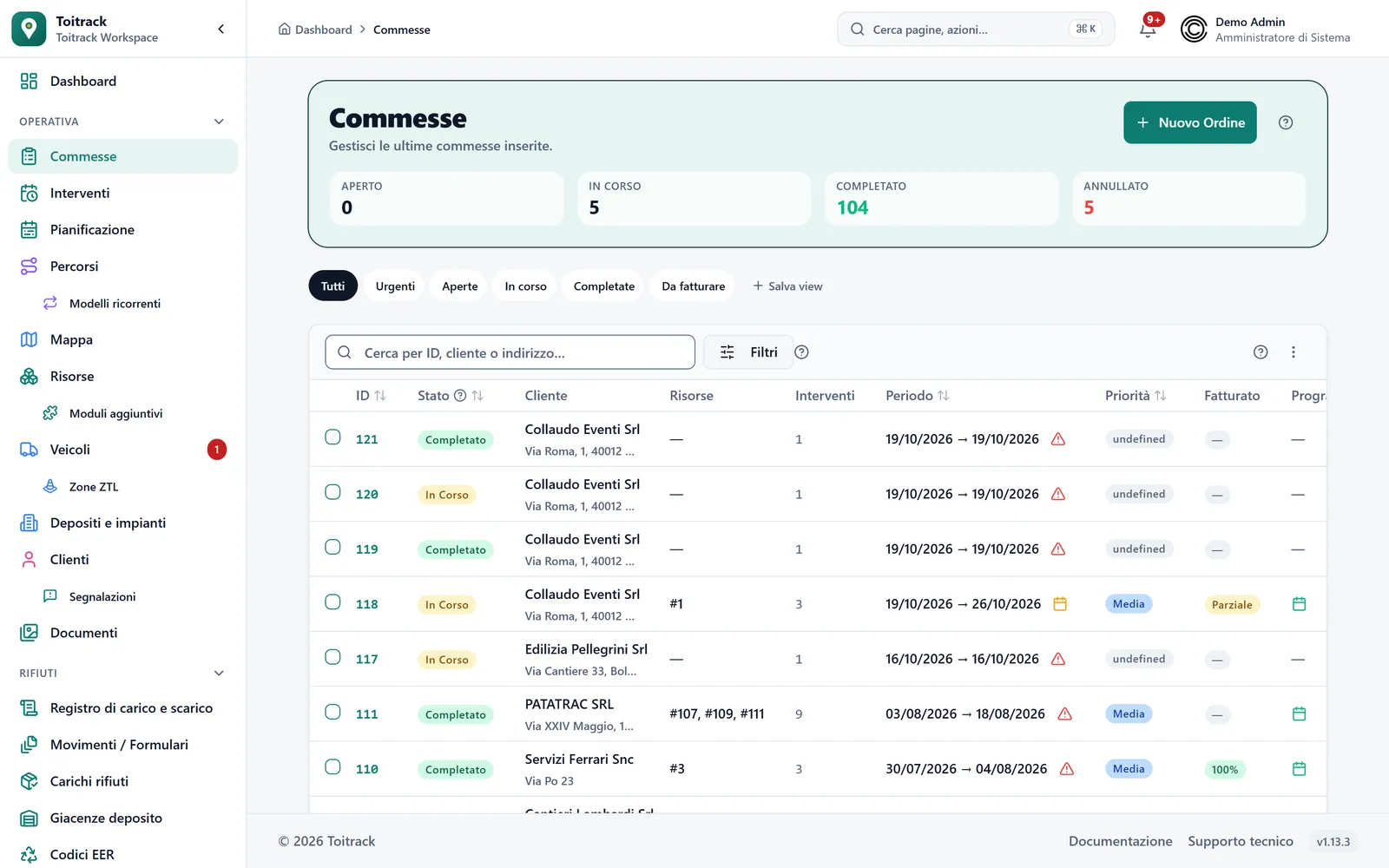
The life of a skip
From dropping the skip to weighing at the plant
A skip always follows the same cycle: drop-off, emptying or swap, collection. Then comes the plant.
Furgo
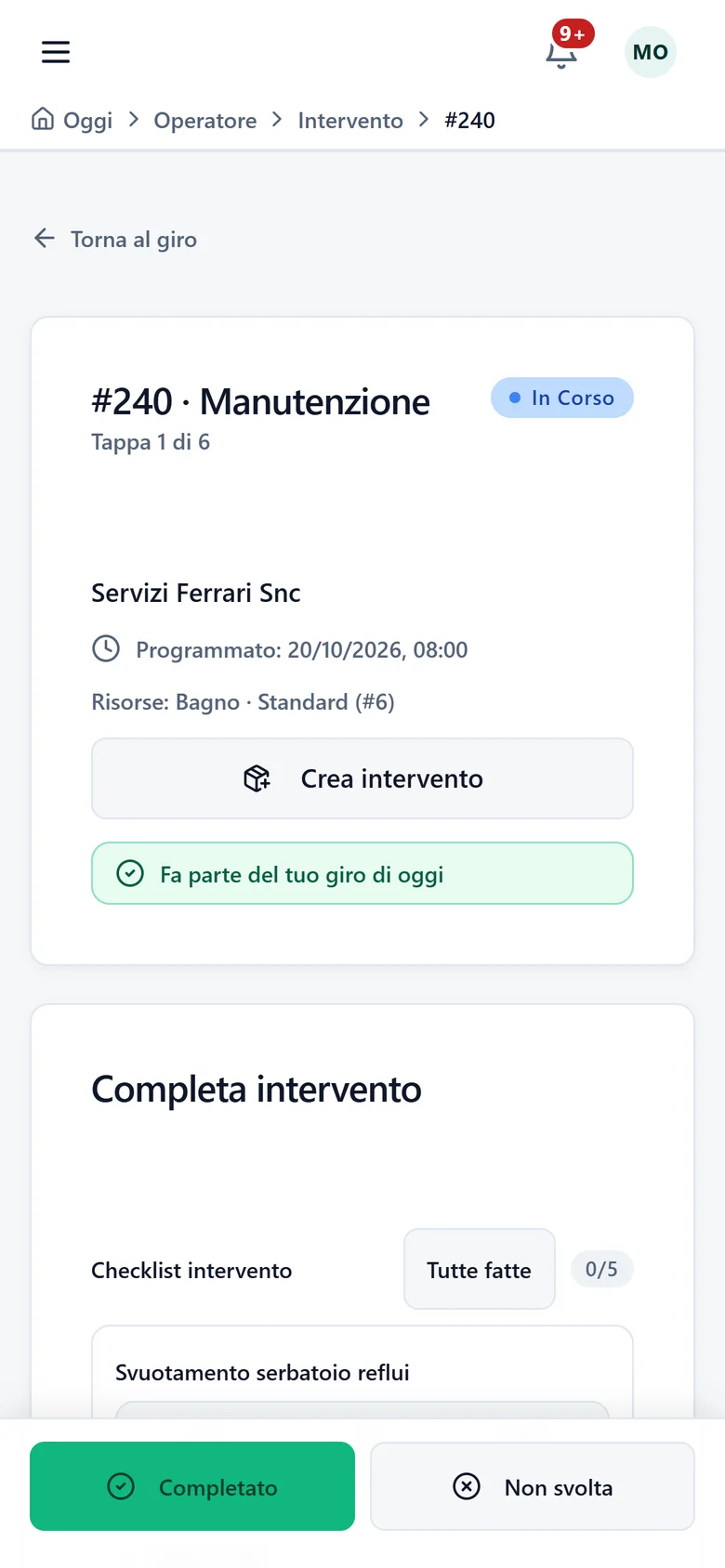
Skip full? The operator logs the swap from the phone and the new skip joins the route.
- Step 1
Create the order
Customer, job site, skips and period. Every skip has its own cycle of drop-off, emptying or swap, and collection, and each stop has its own status.
Conditions: Volume in m³ and payload in kg are required when you create the skip.
- Step 2
Assign an operator and a hook vehicle
Drop-offs, collections and swaps go onto an operator's route. If the vehicle does not declare "Skip hook", Toitrack flags it before you save, and you can still save.
Conditions: On the vehicle you can also set the maximum simultaneous load in crates. With the block switched on the route cannot be saved above that limit; without it a warning appears.
- Step 3
The operator drops, empties, collects
The skip's QR code opens today's task. The emptying checklist covers the fill level, emptying or swapping, sides and hooks, and cleaning the area. If the skip is full, the operator picks the one taken away and the one that replaces it.
Conditions: The replacement skip is chosen among the available ones of the same category. Photos and outcome are mandatory where your company requires them.
- Step 4
Weigh and invoice
On the stop to the plant the operator enters gross and tare from the weighing receipt, picks the EER code and photographs the receipt. Toitrack works out the net. The e-invoice starts from the order.
Conditions: If there is no signal, the weighing stays on the phone and goes out when the connection returns. For the invoice you need the write permission and invoicing switched on; sending the invoice to SdI also needs the permission to issue invoices.
Built for skips
What it takes to move containers every day
A whole fleet from an Excel sheet
Download the template, fill in code, type, volume, payload and placement address, and review the result row by row. While any row has errors, nothing is imported.
The hook vehicle and its limit
Declare "Skip hook" on the vehicle and, if needed, how many crates it can move on the same route. The optional block stops you saving routes that plan more.
Drop-off and collection with the photo
The drop-off checklist covers manoeuvring space and ground, signage and permits, and ends with a photo of the placement. The collection one checks the load is within the outline and ends with a photo of the pickup.
The skip record
What you log for every container
- Volume
- In m³, required.
- Payload
- In kg, required.
- Tare
- In kg, optional. You load it from the import sheet, in the "Tare (kg)" column.
- Code or serial number
- Required in the import sheet, up to 100 characters. A code already among your Assets makes the row fail.
- Type in the sheet
- "Skip". With a customer or a placement address the Asset shows as in use.
- Suitable vehicle
- "Skip hook" is the equipment a vehicle must declare.
What stops happening
Where skip rental gets stuck
Containers scattered with no control
A skip on a closed job site is a dead cost. The QR code on the label opens today's task for that skip, and the status shows whether it is available, in use or under maintenance.
The wrong vehicle on the route
A vehicle with no hook cannot lift a container and comes back empty. With the equipment declared, the warning appears before you save the route.
Weighing receipts that get lost
The receipt ends up among the papers on the dashboard. The operator photographs it from the stop, and photo and weights stay on the task.
An example
A full skip at the plant
The hook truck collects the full skip and reaches the plant. On the unloading stop the operator reads gross and tare from the receipt, enters them and sees the net. They pick the EER code and photograph the receipt. If there is no signal at that spot, the weighing waits on the phone and goes out by itself. If the plant has a tariff for that code, Toitrack shows the estimated disposal cost.
Learn more
The features behind this page
Want to see your skips inside Toitrack?
Fourteen days free on your skips, no commitment. For the price we talk: it depends on what you run.
We set up your trial account for you
For support or a tailored proposal write to us:info@toitrack.comWhatsApp +39 378 443 5327